
Relationship Window Object (Aras Innovator Client Framework)

Relationship Window Object

Shows Relationship grid.
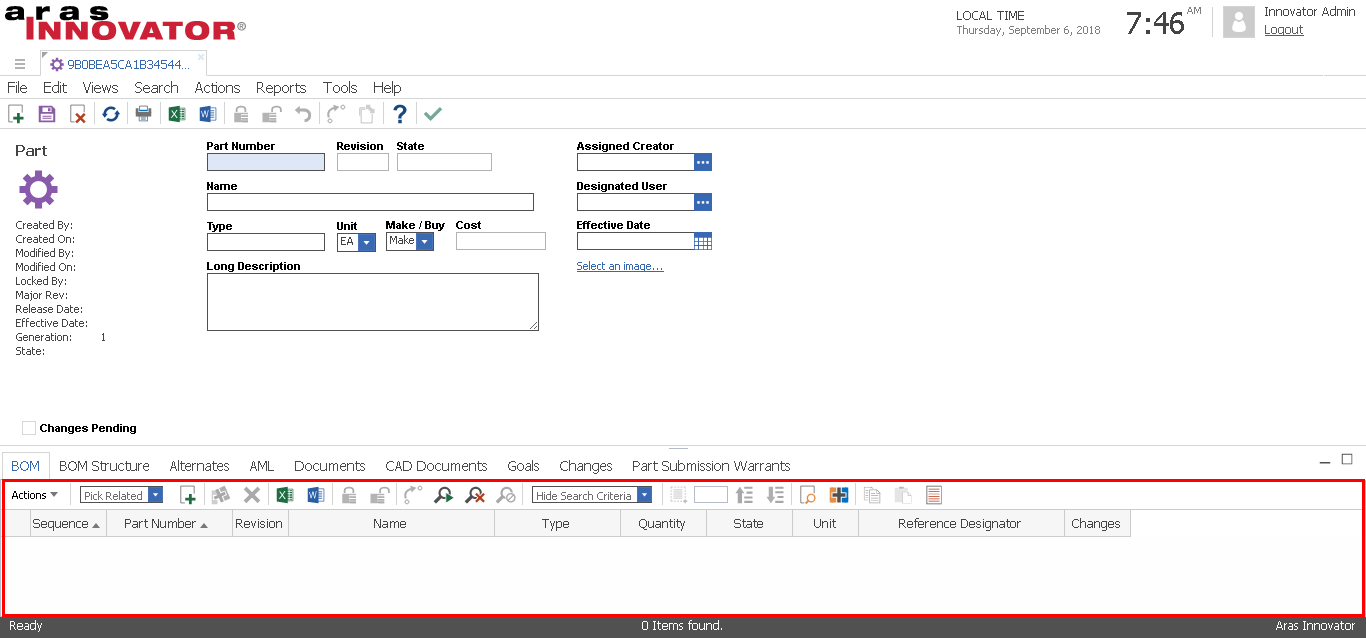
The position of Relationship Window Object in Item window layout.

Properties

Name Description
arasGets aras object.
gridGets grid object.
RELATED_IT_LABELGets current Related Item label.
RELATED_IT_NAMEGets current Related Item name.
RelType_IDGets current RelationshipType ID.
RelType_LblGets current RelationshipType label.
RelType_NdGets current RelationshipType node.
RelType_NmGets current RelationshipType name.

Methods

Name Description
addRowInserts a grid row by Relationship node.
doSearchExecutes "Run Search" command.
deleteRelationshipExecutes "delete" command for Relationship with user's selection.
getRelatedItemPropertyGets Related Item property value with specified name.
getRelationshipPropertyGets Relationship property value with specified name.
newRelationshipCreates a new Relationship, and then insert a new grid row.
removeRelatedItemRemoves Related Item from specified Relationship.
setRelatedItemPropertySets visible Related Item property value. This operation will trigger "OnChangeCell" event.
setRelationshipPropertySets visible Relationship property value. This operation will trigger "OnChangeCell" event.

See Also

Aras Innovator Client Framework

Comments

Popular posts from this blog

Trigger Sequence of Promotion Events in Aras Innovator

There are several Server Event could trigger Method during item promotion: ItemType: OnBeforePromote, OnAfterPromote; Life Cycle: Transition Pre, Transition Post. Trigger sequence of above events is shown in below figure: It's important to note that "Transition Post" cannot rollback while exception throws because item promotion is finished after "OnAfterPromote" That means even if throwing exception, the life cycle will still stay at promoted state. Please note, all above events will not be triggered when "OnPromote" event exists (due to this will overwrite original system process).

aras.uiShowItemEx Method (aras Object)

aras.uiShowItemEx Method Shows Item with Item node. Syntax aras.uiShowItem( itemNd , viewMode , isOpenInTearOff ) Parameters Name Type Description itemNd Object Required. Item node. viewMode String Optional. Unknown purpose but only supports the following values: tab view (Default) openFile new ※Each supported value will get same result. Therefore, call method and pass undefined for this parameter is OK. isOpenInTearOff Boolean Optional. Specifies whether show Item with tear-off window. true - open in a tear-off window. false - open in a tab. (Default) Return Value An AsyncResult object or a Boolean. Returns AsyncResult object if the Item winodw is opened successfully, otherwise returns false. See Also aras Object Aras Innovator Client Framework

Account and Password Policy in Aras Innovator

Aras Innovator has prepared security policy for account and password and very simple to set up. Account Policy There are two system variables could handle account policy: AccountLockoutThreshold_triesNum: The maximum trying number of login, user account will be locked if exceed. AccountLockoutDuration_minutes: User account locking duration after reach maximum trying number. ※Account policy will only be effective when values of above two variables are greater than zero. Password Policy There are two system variables could handle password policy: User_pwd_symbols_min_number: The minimum characters that must be contained when user set new password. User_pwd_digits_min_number: The minimum digits that must be contained when user set new password.